_FBlogo_red.png)


An AI voice agent is only as useful as the systems it can reach. Answering the phone is the easy part. Checking an open ticket, creating a record, or confirming an appointment means working inside the tools your team and your customers already use.
RingLogix Agent Studio gives you several ways to make those connections, and n8n is the most flexible of them. This guide explains what n8n does for an AI voice agent, how it compares with one-click integrations and custom HTTP tools, and how to decide which path an action needs. It draws on our recent Tech Tuesday session, where Jaime Norris and Conversational AI Analyst Eduardo Perotti walked through connecting Agent Studio to n8n. You can watch the full session on YouTube.
Key Takeaways
- An AI voice agent completes work only when it can reach the systems where that work lives. Tools are how it gets there.
- Start with a one-click tool from the Agent Studio catalog when the system is supported, and use a custom HTTP tool for a single, simple API call.
- Use n8n when one action needs several steps, data cleanup, or a system that has no prebuilt tool.
- With n8n in the middle, the agent never talks directly to the business system. n8n holds the credentials and the logic, then returns a clean answer.
- One n8n workflow can hold several webhooks, and each webhook becomes one tool in Agent Studio.
Why Does an AI Voice Agent Need a Path Into Your Business Systems?
An agent that can only talk can answer questions, but it can't move work forward. The calls MSPs care about most, such as ticket status checks, new service requests, and appointment changes, all end in a system: a PSA, a CRM, a calendar, or a database.
To finish those calls, the agent needs tools. A tool is a defined action the agent can take in the middle of a conversation, like looking up a caller, creating a ticket, or checking availability.
In RingLogix Agent Studio, tools come from a few places. One-click PSA integrations connect supported vendors and install prebuilt tools. Custom tools cover a specific API. Workflow-based tools hand an action to an automation platform such as n8n, which does the work and sends back the result. Agent Studio can read existing n8n and Make workflows and convert them into tools, and OpenAPI and MCP options support more advanced connections.
What Is n8n, and How Does It Work With an AI Voice Agent?
n8n is a visual workflow automation platform. You build a workflow by chaining nodes on a canvas, and each node does one job: receive a request, call an API, run a short JavaScript or Python script, make a decision, or send a response. n8n includes hundreds of prebuilt app integrations, plus an HTTP Request node for any system with a REST API.
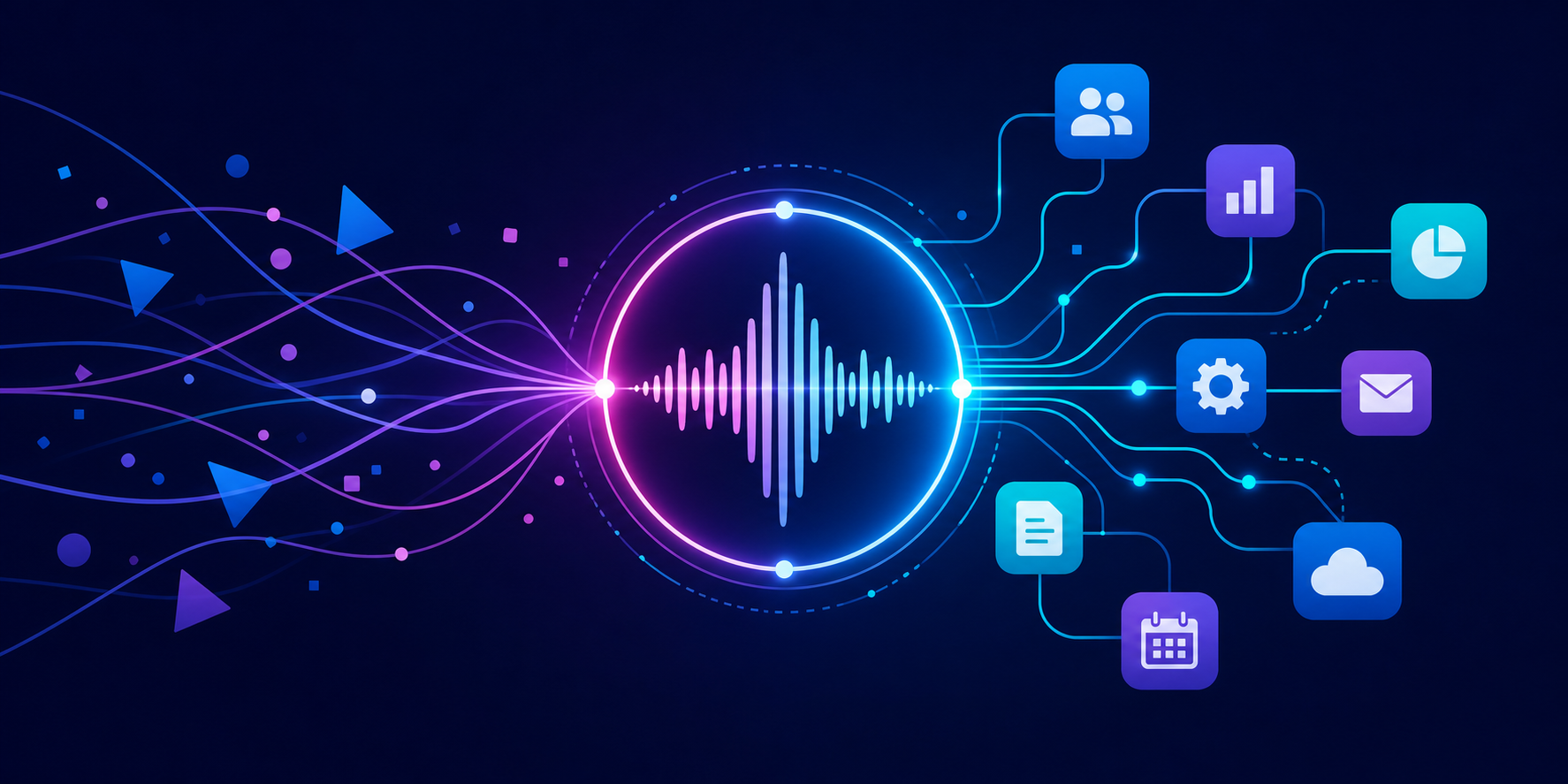
When an AI voice agent uses an n8n tool, the exchange usually looks like this:
- The agent decides it needs data or an action, such as looking up a caller's open tickets.
- Agent Studio calls the n8n workflow and sends the values the agent has collected during the call.
- n8n does the work. It calls your PSA, CRM, calendar, or database, and it can chain several steps together.
- n8n returns a JSON answer containing just what the agent needs.
- The agent reads the answer and keeps the conversation moving.
Jaime summed up why this design matters:
"The key idea of this is the agent's never talking directly to the business system. n8n will hold the credentials, and then the business logic."
In practice, API keys and OAuth tokens for the business system live in n8n rather than in the agent's prompt. The logic for each action lives in one place your team can inspect, test, and reuse.
How Do Workflows, Webhooks, and Tools Fit Together?
In n8n, a workflow is the whole canvas. A webhook is a trigger node with its own URL that starts a specific path through the workflow. Each webhook becomes one tool in Agent Studio.
That means you don't need a separate workflow for every tool. Eduardo recommends one workflow per agent, with a webhook for each action the agent can take, such as validating a caller, creating a ticket, or updating a ticket. A separate workflow per tool also works, but it gets harder to manage as the agent grows.
Because a webhook is a URL that anyone who finds it could call, Eduardo's first rule is never to leave its authentication set to None. n8n's Webhook node supports header, basic, and JWT authentication, and his demo secured each webhook with header authentication.
Three Ways to Connect an Agent to a Business System
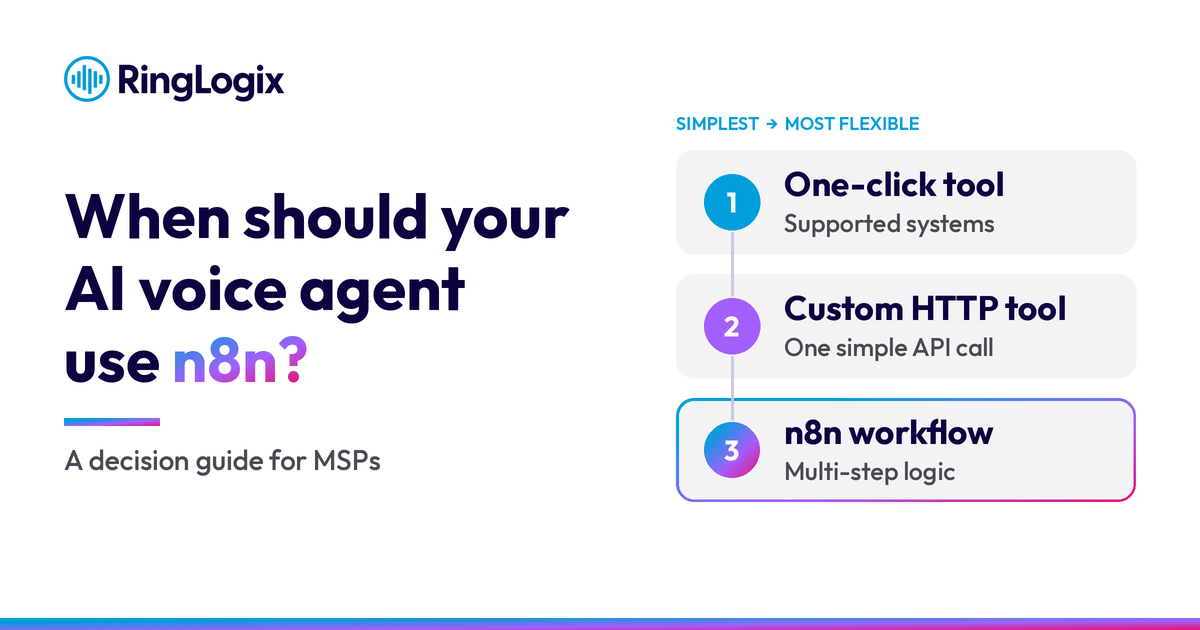
The right path depends on the action the agent needs to take, not just on which system it touches. Here's how the three options compare:
| Path | Best for | What you maintain | Example |
|---|---|---|---|
| One-click catalog tool | Systems already in the Agent Studio tool marketplace | Connection variables, such as IDs and URLs | Create a ticket in a supported PSA |
| Custom HTTP tool | A single, simple API call | One request definition | Look up an order status from one endpoint |
| n8n workflow | Several steps, data cleanup, or a system with no prebuilt tool | The workflow, its credentials, and where it runs | Look up a caller, create the record if it's missing, open a ticket, and email a confirmation |
Start With a One-Click Tool When the System Is Supported
If the system is already in the Agent Studio tool marketplace, start there. Jaime's rule of thumb from the session is simple: "If it's in the catalog, start with Path A." Path A is the prebuilt vendor tools, which need no code. You find the vendor, create the connection, read each tool's one-line description, fill in the variables, and install.
Two habits keep catalog tools clean. Install only the tools the agent will actually use, so it has an easy decision about which one to call. And remember that "installed doesn't mean live," as Jaime put it. Callers reach a tool only after you attach it to an agent and deploy.
Use a Custom HTTP Tool for One Simple Call
When an action is a single, straightforward API request, a custom HTTP tool in Agent Studio is the lighter option. There's no workflow to host or maintain. The trade-off shows up when the request needs follow-up steps or the response needs cleanup before the agent can use it.
Reach for n8n When One Action Needs Real Work Behind It
Jaime's rule of thumb continues: reach for n8n when a single action needs real work behind it. In her words, it's "the most flexible option" and "built for real business logic." Typical signs you need it:
- Several steps in one action. For example, look up the caller, create the record if it's missing, open a ticket, and send a confirmation email.
- Noisy responses. The API returns far more than the agent needs, so n8n trims the response to the few fields that matter.
- No prebuilt tool. The system has an API, but it isn't in the catalog.
- Repeat deployments. You'll use the same logic for several customers, so you can duplicate a tested workflow and point it at each customer's credentials.
- Visible troubleshooting. n8n logs every run node by node, so you can see exactly where a step failed.
Questions to Ask Before You Choose a Path
An agent can use n8n tools alongside other tool types, so make the choice action by action. Run each action through these five questions before you build it:
- Is the system already in the Agent Studio catalog? If so, start with the one-click tool.
- Is the action one request with a clean response? A custom HTTP tool may be all you need.
- Does the action need several steps, conditional logic, or data cleanup? Plan an n8n workflow.
- Will you deploy the same action for more than one customer? Build it once as a tested workflow you can duplicate.
- Who will maintain it? A workflow is something your team builds, hosts, and supports, so plan for that time.
Where Does n8n Run?
n8n runs in one of two places. n8n Cloud is a hosted subscription that's quick to start, with no infrastructure to manage. A self-hosted instance runs on infrastructure you control, such as a VPS, Docker, or Kubernetes, and gives you more control over your data and capacity.
Cloud plans are priced by monthly workflow executions, and n8n counts one execution each time a workflow runs from start to finish. Every tool call your agent makes through a webhook is a run, so call volume matters when you pick a plan. Self-hosting the Community Edition avoids n8n Cloud's plan limits, but your team takes on hosting, updates, and backups.
n8n updates its pricing as the market changes, which is why the session pointed partners to n8n's pricing page rather than quoting numbers. Check it before you choose.
Start Simple, and Add n8n When the Work Demands It
The fastest path to a dependable agent is usually the simplest tool that completes the action: a one-click tool when the system is supported, a custom HTTP tool for a single call, and an n8n workflow when the action needs real logic behind it. Choosing action by action keeps your agents easier to build, test, and support, whether they answer your own service desk or your customers' phones.
To see the full walkthrough, including Eduardo's live n8n build, watch the Tech Tuesday session on YouTube. When you're ready to build, our step-by-step guide to building an AI voice agent with Agent Studio covers the rest of the process. Not using RingLogix Agent Studio yet? Request a demo and bring an action you want your agent to handle.
Frequently Asked Questions
What is n8n?
n8n is a visual workflow automation platform that connects apps and APIs. You chain nodes on a canvas, and each node does one job, such as receiving a webhook, calling an API, or running JavaScript or Python. It's available as a hosted cloud service or as a self-hosted Community Edition.
Do I need n8n to connect an AI voice agent to my PSA?
Not always. If your PSA has a one-click integration in RingLogix Agent Studio, start there, because the connection and common actions are already built. n8n is the better fit when an action needs several steps, data cleanup, or a system without a prebuilt tool.
How does an AI voice agent call an n8n workflow?
Through a webhook. When the agent needs data or an action, Agent Studio sends the values collected during the call to the workflow's webhook. n8n runs the steps and returns a JSON response, and the agent uses that answer to continue the conversation.
Can one n8n workflow hold several agent tools?
Yes. A single n8n workflow can contain several webhooks, and each webhook becomes its own tool in Agent Studio. RingLogix Conversational AI Analyst Eduardo Perotti recommends one workflow per agent, with a separate webhook for each action, such as validating a caller or creating a ticket.
When should I use a custom HTTP tool instead of n8n?
Use a custom HTTP tool when the action is a single, simple API call with a response the agent can use as is. Choose n8n when the action needs several steps, conditional logic, or cleanup of a noisy response before the agent sees it.
Is n8n free?
It depends on how you run it. n8n's self-hosted Community Edition has no license fee, but you pay for the server and the time to maintain it. n8n Cloud is a paid hosted subscription priced by monthly workflow executions, so review n8n's current pricing and license terms before you decide.