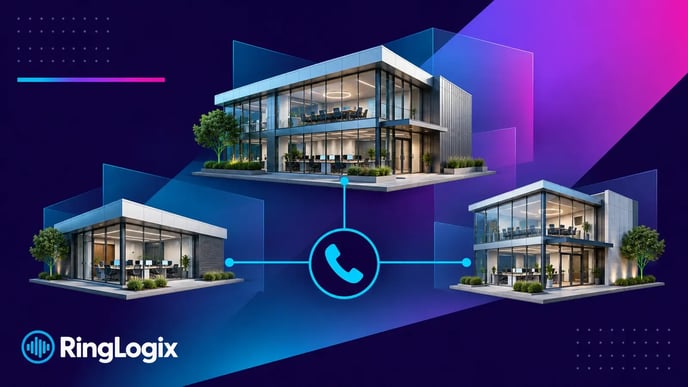
Your customer has three offices, one main number and a receptionist who leaves at five. One branch stays open until seven. Planning white label VoIP for that business starts with deciding what should happen to each call, at each location, throughout the day. Get those decisions agreed before you build the system, and your team has a clear plan to configure and test.
Key takeaways
- Give every location its own planning sheet, even when the business shares a phone system.
- Decide which calls stay local and which can go to another office.
- Document each location’s time zone, business hours and exceptions.
- Assign people to approve changes, maintain settings and confirm calls reach the right place.
- Test the paths between offices, not just whether each phone can make a call.
Start with the differences between offices
A second location can look simple on a quote. Then you find out it has different hours, a separate reception team and a manager who wants calls handled differently.
Capture those differences early.
For each office, record the numbers customers already use, the people answering them, the departments callers need and the hours those teams are available. Ask about shared staff, too. Someone who works at two locations may need different treatment from someone who stays at one desk.
In RingLogix’s VoIP implementation guide, Jaime Norris explains why the planning conversation matters:
“There’s nothing worse than needing something after the meeting’s over. Clients want one and done. Use that time wisely.”
Bring the people who know how each branch works into that conversation. Headquarters may approve the project, but the local receptionist probably knows which calls get transferred three times before anyone can help.
Decide what stays local and what the business shares
Work through two decisions separately: where callers enter the system and who should answer them.
A business might want to keep a local number for each branch while sharing one reception team. Another may prefer a main number with options for different locations. Some will need both.
Neither arrangement is automatically better. Choose based on how customers expect to reach the business and whether the answering team can actually help.
For each number, agree on:
- Who answers first.
- What happens when that person or team is busy.
- What happens when nobody answers.
- Whether another location can take the call.
- Where a message goes and who follows up.
Pay special attention to overflow. Sending a caller to an available employee is useful only if that employee has the information and authority to handle the request.
Write down the intended behavior, then confirm your chosen platform supports it. If you’re still evaluating platforms, use the white label VoIP platform selection guide for that separate decision.
Plan around the caller’s time, not just headquarters’ hours
Business hours need a location attached to them.
Record each office’s time zone, regular schedule, holidays and any periods when its normal answering team is unavailable. A lunch closure or early Friday finish can change where calls should go.
Then consider what happens between locations. When one office closes, should its calls reach another office that is still open? Should callers hear a local closing message instead? Who handles messages left during that gap?
Here’s a hypothetical example.
An MSP is planning service for two branches. Both share reception during the day, but Branch B stays open later.
The agreed plan might be:
- During shared reception hours, reception answers both branches’ calls.
- After reception closes, Branch B’s calls go to its local team.
- Branch A’s calls follow its approved after-hours route.
- Unanswered Branch B calls reach a named mailbox with an assigned follow-up owner.
This is a design example, not a default configuration. The useful part is that everyone can see what should happen before anyone starts changing settings.
Give people clear responsibility for changes
A shared system needs clear ownership, especially when local managers can request changes.
Decide who can approve a new user, a changed greeting, different business hours or a new call route. Separate the person requesting a change from the person authorized to approve it when the customer’s process requires that.
Your plan should identify:
- The business-wide decision-maker.
- A contact for each location.
- The people responsible for configuration.
- The support contact and escalation path.
- The person who approves the completed setup.
Local managers may need control over a few settings without needing access to everything. Confirm the available permissions and agree on the right access for each role.
Keep the approved design somewhere your service desk can find it. A technician handling a ticket should be able to tell whether a branch’s call route is intentional or a mistake.
Use one planning sheet per location
Copy this into the project brief for every office. Keep shared decisions in a separate business-wide section so they don’t get lost among branch details.
Location
- Office name and address
- Local contact and approval owner
- Time zone and business hours
- Holiday and temporary-closure exceptions
People and numbers
- Published numbers for this location
- Users, shared staff and devices
- First answering person or team
- Departments or destinations callers need
Call handling
- Normal business-hours route
- Busy or unanswered-call route
- After-hours route
- Approved overflow to another location
- Voicemail recipient and follow-up owner
Handover
- Configuration owner
- Test participants
- Open questions or exceptions
- Customer approval
Have your implementation team review emergency-calling requirements separately for the locations, users and devices involved. This planning sheet does not replace that review.
Test the paths between locations
A successful call from one desk phone doesn’t tell you whether the whole design works.
Build your tests around the location-specific decisions you documented. For example:
- Call each published number and confirm the correct team answers.
- Check what happens when reception is unavailable.
- Transfer a call from one branch to another.
- Verify the agreed behavior when one branch is closed and another is open.
- Leave a message and confirm the intended person receives it.
- Check that a permitted local change doesn’t unexpectedly affect another office.
Record the expected result, what actually happened and who needs to resolve any difference. Use an agreed test plan for schedule changes and fallback behavior so testing itself doesn’t disrupt live calls.
For the broader setup process, follow the hosted PBX customer setup guide. Keep this multi-location checklist alongside it.
Make the next location easier to add
Once the customer approves the design, save the shared rules and the exceptions.
When another office opens, you should be able to reuse the planning structure without assuming that every setting should be copied. Confirm its hours, staffing, numbers, permissions and call routes on their own merits.
That gives your MSP a repeatable process while leaving room for how the customer’s business actually operates.
Bring a real multi-location scenario to your RingLogix demo. Use the planning sheet to discuss the call paths, responsibilities and setup your customer needs.
Frequently asked questions
Does every location need its own phone number?
Not necessarily. A business may use a shared main number, separate local numbers or a combination. Start with the numbers customers already know and how they expect to reach each office, then confirm the supported design.
Should every office have the same call-routing settings?
Only where the requirements are the same. Different hours, staffing and customer needs can justify different routes. Document those exceptions rather than copying one branch’s settings everywhere.
Can one reception team answer calls for several locations?
It can be part of the design when the platform supports the required routing and the team can handle those calls. Confirm how reception will identify the location, transfer callers and manage busy periods.
What should happen when one office closes before another?
Agree on the behavior for that office’s numbers. Calls might follow a local after-hours route or reach another staffed location, if that team can help. Document the time zone and test the transition.
Should all locations go live at once?
That depends on the business’s needs and rollout dependencies. A staged rollout can give your team a chance to validate the design, but it must account for number transfers, shared reception and calls between old and new systems. Agree on the sequence with the implementation team before committing to dates.